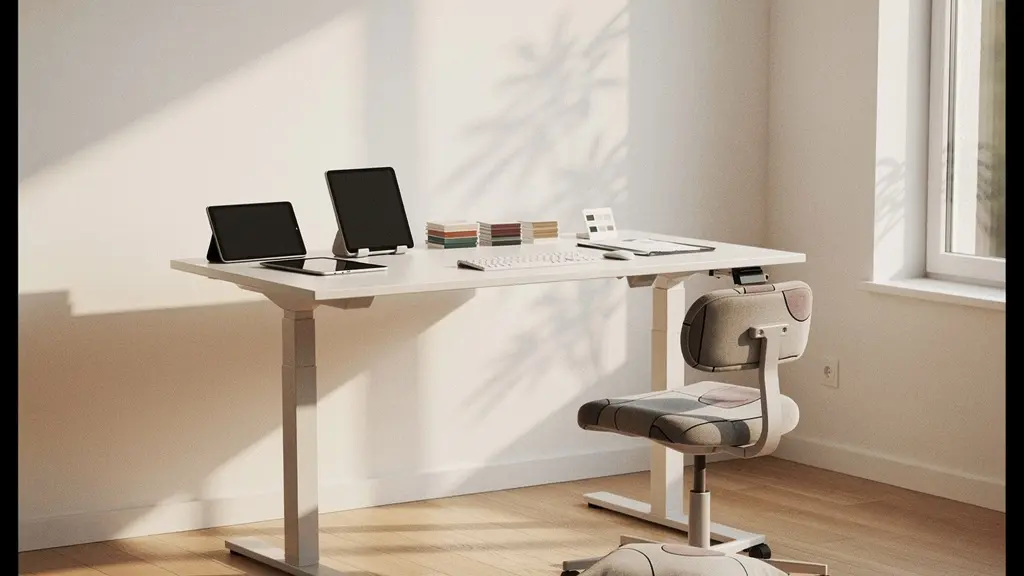
Contrary to popular belief, sitting perfectly straight is not the solution to back pain; in fact, it often makes it worse. This 30-day plan is based on a core clinical principle: your body thrives on dynamic movement, not rigid posture. By treating your ergonomic setup as a form of preventative medicine and implementing small, science-backed adjustments, you can systematically unload spinal pressure and eliminate chronic home office back pain for good.
For the millions of people working from home, lower back pain has become an unwelcome, chronic colleague. The conventional advice is often a chorus of “sit up straight” and “buy a good chair.” Yet, from a clinical perspective, many who follow this advice still find themselves in a cycle of stiffness and discomfort. This is because the root of the problem isn’t just about posture; it’s about the fundamental misunderstanding of how the human body is designed to function—or rather, its designed intolerance for being static.
The belief that a single “perfect” posture can protect you for eight hours is a dangerous myth. Your spine is a dynamic structure that requires movement to stay healthy. The key to eliminating back pain lies not in forcing an unnatural, ramrod-straight position, but in creating an environment that encourages constant, subtle micro-movements and respects your natural spinal curves. This involves de-loading the lumbar discs through specific reclining angles and understanding that stillness is the true occupational hazard.
But what if the solution wasn’t a single magic bullet, but a series of interconnected, evidence-based adjustments? This guide reframes the approach entirely. Instead of focusing on static perfection, we will focus on dynamic health. We will treat your chair, desk, and even your daily routine not as furniture or habits, but as a system of Personal Protective Equipment (PPE) against the cumulative damage of a sedentary workday.
Over the next sections, we will systematically deconstruct common ergonomic mistakes and provide a clear, physiotherapist-approved roadmap. We’ll cover everything from the counter-intuitive science of sitting to the small environmental cues that can fundamentally change your physical well-being. This is your 30-day plan to reclaim your comfort and protect your long-term spinal health.
Summary: A 30-Day Ergonomic Overhaul for a Pain-Free Back
- Why does sitting “straight up” actually increase pressure on your lumbar discs?
- How to measure the perfect elbow angle relative to your desk surface?
- Gaming chair or Mesh task chair: Which offers better support for an 8-hour shift?
- The mistake of sitting perfectly still for 4 hours that locks up your hip flexors
- When to stand up: The 20-20-20 rule adapted for full-body health
- Why is silica dust invisible to the naked eye yet deadly after 10 years?
- How to separate work and sleep zones in a studio without building walls?
- How to Protect Your Lungs from Silicosis When Carving Stone Daily?
Why does sitting “straight up” actually increase pressure on your lumbar discs?
The advice to “sit up straight” is perhaps the most pervasive and damaging myth in office ergonomics. While it feels proactive, maintaining a rigid, 90-degree angle between your torso and thighs actively works against your spine’s natural design. This position flattens the natural S-curve of your lower back (the lumbar lordosis), which is essential for shock absorption. By forcing your spine into this unnatural alignment, you significantly increase the load on your vertebral discs.
From a biomechanical standpoint, this rigid posture is highly demanding. It forces the small, stabilizing muscles of your back to work constantly, leading to fatigue, muscle spasms, and pain. More critically, it increases what’s known as intradiscal pressure. Clinical studies have demonstrated a significant 30% increase in lumbar disc pressure when seated compared to standing. Forcing a 90-degree angle exacerbates this pressure even further, starving the discs of the nutrient-rich fluid they need to stay healthy and resilient.
The solution is counter-intuitive: recline slightly. A seated torso-to-thigh angle of between 110 and 135 degrees has been shown to produce the lowest amount of intradiscal pressure. This open angle allows your lumbar spine to maintain its natural curve, supported by the back of your chair rather than by muscular strain. During long video calls or periods of focused work, intentionally reclining your chair back by 20-25 degrees can provide immediate relief and long-term protection by offloading the discs.
This simple adjustment—from rigid uprightness to supported reclining—is the first and most critical step in transforming your chair from a source of pain into a tool for recovery.
How to measure the perfect elbow angle relative to your desk surface?
Once you’ve corrected your seated angle, the next critical point of contact is the relationship between your arms, hands, and your desk. An incorrect desk or chair height forces your shoulders to shrug and your wrists to bend at awkward angles, creating a chain reaction of tension that travels from your hands up through your neck and into your upper and lower back. The goal is to achieve a state of neutral posture where your joints are naturally aligned and your muscles are relaxed.
The ideal elbow angle for keyboard and mouse work is between 90 and 100 degrees, with your forearms parallel to the floor or angled slightly downward. This position minimizes strain on the wrists, elbows, and shoulders. To find this perfect height without a measuring tape, you can perform the “floating wrists test,” an ergonomic standard recommended by institutions like the Mayo Clinic for proper office ergonomics.
This simple test ensures your entire setup is calibrated to your body’s unique dimensions. The picture below illustrates the ideal neutral position for your arms and wrists.

To perform this test, sit in your chair with your feet flat on the floor and let your arms hang naturally at your sides. Relax your shoulders completely. Now, bend your elbows to 90 degrees and raise your forearms until your hands are hovering just above your keyboard. Your chair and desk height should be adjusted so this is your natural resting position. Your wrists should be straight, not bent up or down. Your armrests, if used, should lightly support the forearms without causing your shoulders to lift.
By calibrating your workspace to your body, rather than forcing your body to adapt to your workspace, you eliminate a major source of cumulative strain that directly contributes to back and neck pain.
Gaming chair or Mesh task chair: Which offers better support for an 8-hour shift?
Choosing the right chair is a medical decision, not an aesthetic one. The market is flooded with options, but for an 8-hour workday, the debate often narrows to two popular categories: aggressive, race-car-style gaming chairs and adjustable, breathable mesh task chairs. While gaming chairs have a strong visual appeal, their design is often fundamentally at odds with long-term spinal health. They are typically built for short, intense sessions, not sustained office work.
A significant issue with many gaming chairs is their fixed or overly aggressive “lumbar support” pillows and bucket-seat bolsters. These features are designed to lock a gamer in place, but they restrict the micro-movements that are essential for spinal disc hydration. In contrast, a high-quality mesh task chair is engineered for dynamic support. It responds to your body’s shifts in posture, providing consistent support while allowing a full range of motion. A study by Van Niekerk et al. confirmed that office chairs with adjustable ergonomic features, like those found in task chairs, significantly reduced lower back pain and improved posture in office workers by allowing customization to individual body dimensions.
The following table breaks down the key differences based on ergonomic principles for all-day work. The “Saddle Chair” is included as a third option, which is excellent for promoting active sitting but typically best for shorter, focused work sessions rather than a full 8-hour day.
| Feature | Gaming Chair | Mesh Task Chair | Saddle Chair |
|---|---|---|---|
| Lumbar Support | Fixed pillows, often too aggressive | Adjustable, responsive | Promotes natural curve |
| Mobility | Restricted by bucket bolsters | Full range of motion | 360° movement |
| Core Engagement | Passive support | Moderate engagement | Active sitting |
| 8-Hour Comfort | Foam compresses over time | Consistent support | Best for 2-4 hour sessions |
| Best For | Short gaming sessions | All-day office work | Creative focused work |
For preventing chronic back pain, the clear winner is the adjustable mesh task chair. Its emphasis on responsive, customizable support makes it a superior clinical tool for maintaining spinal health during a long workday.
The mistake of sitting perfectly still for 4 hours that locks up your hip flexors
Even with the perfect chair and desk setup, one major ergonomic hazard remains: stillness. The human body is not designed to remain in any single position for extended periods. When you sit for hours on end, a group of muscles deep in your core, known as the hip flexors (iliopsoas), become locked in a shortened position. This chronic shortening pulls your pelvis forward, creating an anterior pelvic tilt. This tilt, in turn, increases the arch in your lower back, compressing the vertebral discs and leading to persistent, nagging pain.
This phenomenon is a primary driver of non-specific lower back pain in office workers. You can have the most expensive ergonomic equipment in the world, but if you do not actively counteract the effects of prolonged sitting, your hip flexors will tighten, and your back will suffer. The antidote to this static loading is simple and requires no equipment: frequent, short bursts of movement. Physical therapists recommend getting up and moving every 45-50 minutes, but even smaller, more frequent “mobility resets” can be profoundly effective.
The key is to interrupt the cycle of stillness before your muscles begin to “learn” their shortened position. Integrating a quick, 60-second release routine every hour can make a significant difference in preventing hip flexor tightness and the resulting back pain. This isn’t about a full workout; it’s a targeted medical intervention for your muscles.
Action Plan: Your 60-Second Mobility Reset
- Stand and lunge: Perform a standing lunge, keeping your back leg straight. Hold for 30 seconds on each side to actively lengthen the hip flexor.
- Foot on chair stretch: Place one foot on your chair’s seat, keeping your back upright. Gently lean your hips forward to feel a stretch in the front of the hip of your standing leg.
- Passive mobility: Use an under-desk foot rocker or footrest to encourage small, continuous movements in your ankles and legs throughout the day.
- Set a micro-break timer: Use a timer to remind yourself to stand, stretch, and walk for 2 minutes every 30-45 minutes.
- Alternate positions: If you have an adjustable-height desk, switch between sitting and standing every hour to prevent any one muscle group from locking up.
Remember, the best posture is your next posture. By embracing this principle of dynamic sitting, you actively protect your body from the dangers of a sedentary work life.
When to stand up: The 20-20-20 rule adapted for full-body health
The 20-20-20 rule—look at something 20 feet away for 20 seconds every 20 minutes—is an excellent ergonomic guideline for preventing digital eye strain. However, for full-body musculoskeletal health, we need a more robust protocol that addresses the entire kinetic chain, from your feet to your spine. Simply standing up isn’t enough; the timing and activity during these breaks are what truly matter for preventing disc degeneration and muscle imbalances.
To avoid the cumulative damage of prolonged sitting, spinal health experts recommend a more structured approach. Instead of arbitrary breaks, consider implementing what is known as the “50-8-2 Rule.” This protocol, highlighted in spinal health resources, provides a clear, repeatable formula for balancing periods of focused work with essential movement. It’s a powerful adaptation of the 20-20-20 concept applied to the entire body, and it’s far more effective at preventing the onset of chronic back pain.
The core principle is to vary your posture and activity methodically throughout each hour. Research into spinal degeneration suggests that you must stand and stretch at least every 30 minutes to promote circulation and hydration of the vertebral discs. The 50-8-2 rule provides an easy-to-follow framework for achieving this:
- 50 minutes of focused sitting: Work in your ergonomically optimized seated position, maintaining the proper reclined angle and neutral arm posture.
- 8 minutes of standing work: Transition to a standing desk or an elevated workstation. This changes the load on your spine and activates different muscle groups in your legs and core.
- 2 minutes of active movement: This is the most critical part. Don’t just stand still. Use these two minutes to walk around, perform standing backbend stretches, or do hamstring stretches. This active recovery pumps nutrient-rich fluid into your spinal discs and releases muscular tension.
Integrating a daily walk of 20-30 minutes further enhances this effect by promoting overall spinal hydration and circulation. This isn’t just a break; it’s a prescribed dose of movement therapy for your back.
Why is silica dust invisible to the naked eye yet deadly after 10 years?
This question seems out of place in an article about back pain, but from a physiotherapy perspective, it provides a powerful metaphor for understanding the nature of chronic injury from poor ergonomics. Respirable crystalline silica is a dust so fine it’s invisible, yet with prolonged exposure, it causes irreversible, deadly lung disease. The danger isn’t in a single, large exposure but in the slow, silent accumulation of micro-particles over years. Bad posture is the “silica dust” of the home office.
The damage to your spine from a poor ergonomic setup doesn’t happen overnight. It’s not a single event, but the result of cumulative micro-trauma. Each minute spent with your head craned forward, your back slumped, or your wrists bent adds a tiny, imperceptible amount of stress to your joints, ligaments, and discs. Like silica dust, this stress is invisible. You don’t feel the damage after one hour or one day, but over months and years, it accumulates until a threshold is crossed and chronic pain emerges.
This is a core concept in physiotherapy and ergonomics research, perfectly articulated in a study on chronic low back pain:
Bad posture as the ‘silica dust’ of the home office – the danger isn’t immediate injury, but invisible, cumulative stress that silently degrades spinal discs and joints over years.
– Conceptual framework from ergonomics research, Applied Ergonomics Study on Chronic Low Back Pain
This image below, showing the gradual erosion in natural textures, serves as a visual metaphor for this invisible, cumulative process. Each tiny fissure represents a day of poor posture, slowly adding up to significant structural damage.

This is why proactive ergonomic intervention is not a luxury but a critical health and safety measure. You are not just aiming for comfort; you are actively preventing a long-term, debilitating occupational disease.
How to separate work and sleep zones in a studio without building walls?
For those working in a small apartment or studio, the lack of physical separation between work and life creates another form of “invisible dust”: psychological strain that manifests as physical pain. When your desk is in your bedroom, your brain never receives a clear signal that the workday is over. This leads to a state of chronic, low-level alertness, preventing your muscles, including the critical postural muscles of your back, from fully relaxing and recovering.
Working from a couch or bed is even more detrimental, as it encourages a slumped, C-shaped spinal posture that puts maximal strain on the lumbar discs. Protecting your back in a small space isn’t about building walls; it’s about creating clear sensory boundaries. By using light, texture, and sound, you can send powerful proprioceptive cues to your brain and body, signaling the transition from “work mode” to “rest mode.” This psychological shift is essential for enabling physical decompression.
The goal is to create distinct “zones” through non-physical means. Here are several clinically-backed techniques for creating this essential separation:
- Use different textures: Place a different rug under your work area. The change in texture under your feet as you move from your “office” to your “living area” provides a powerful sensory boundary.
- Change the lighting: Use a cool-toned, bright light (around 5000K) at your desk during work hours to promote alertness. After work, switch to warm-toned, softer lighting (around 2700K) in the rest of the space to signal relaxation.
- Switch the soundscape: Use focus music or ambient noise while working. When you clock out, switch to a different genre of music, a podcast, or silence to mark the end of the day.
- Create a physical path change: Position a large plant, a bookshelf, or a decorative screen in a way that forces you to physically walk around it to get from your workspace to your relaxation area. This small detour acts as a mental reset.
By creating these clear boundaries, you allow your body to truly disengage from work-related tension, facilitating the overnight recovery and repair your spine desperately needs.
Key Takeaways
- Stop sitting up straight; a reclined angle of 110-135 degrees minimizes pressure on your lumbar discs.
- The best posture is your next posture. Incorporate dynamic movement with rules like the “50-8-2” to fight the dangers of stillness.
- View your ergonomic setup as Personal Protective Equipment (PPE) against the cumulative, invisible damage of a sedentary job.
How to Protect Your Lungs from Silicosis When Carving Stone Daily?
We return to this industrial metaphor because it holds the ultimate key to a pain-free work life. How do professionals protect themselves from a known, hazardous, and cumulative occupational threat like silica dust? They don’t just “try to be careful.” They use a system of certified Personal Protective Equipment (PPE). The final and most important mindset shift in this 30-day plan is to stop thinking of your office setup as furniture and start treating it as your PPE against the occupational hazard of stillness.
Your body has hundreds of joints, all of which are designed for movement. Sedentary work is fundamentally at odds with this design. Therefore, your entire ergonomic system—the adjustable chair, the correctly-positioned monitor, the standing desk, and the very routine of movement you build—is not about comfort. It’s a non-negotiable safety system. This concept is championed by leading experts in the field.
As Dr. Andrew Bang, a chiropractor at the Cleveland Clinic’s Center for Integrative Medicine, powerfully states:
The entire ergonomic setup—chair, desk, monitor arm—should be viewed not as furniture, but as ‘Personal Protective Equipment’ (PPE) against the occupational hazard of stillness.
– Dr. Andrew Bang, DC, Cleveland Clinic Ergonomics Guide
This re-framing changes everything. You wouldn’t skip wearing a hard hat on a construction site, so you shouldn’t skip your 2-minute mobility reset. You wouldn’t use a faulty safety harness, so you shouldn’t tolerate a chair that doesn’t support a healthy, reclined posture. This is a matter of long-term health, not short-term preference.
By implementing these principles over the next 30 days, you are not just alleviating symptoms; you are building a protective shield against the chronic, cumulative damage of modern work. Begin today by auditing your setup and committing to this new, dynamic approach to your health.