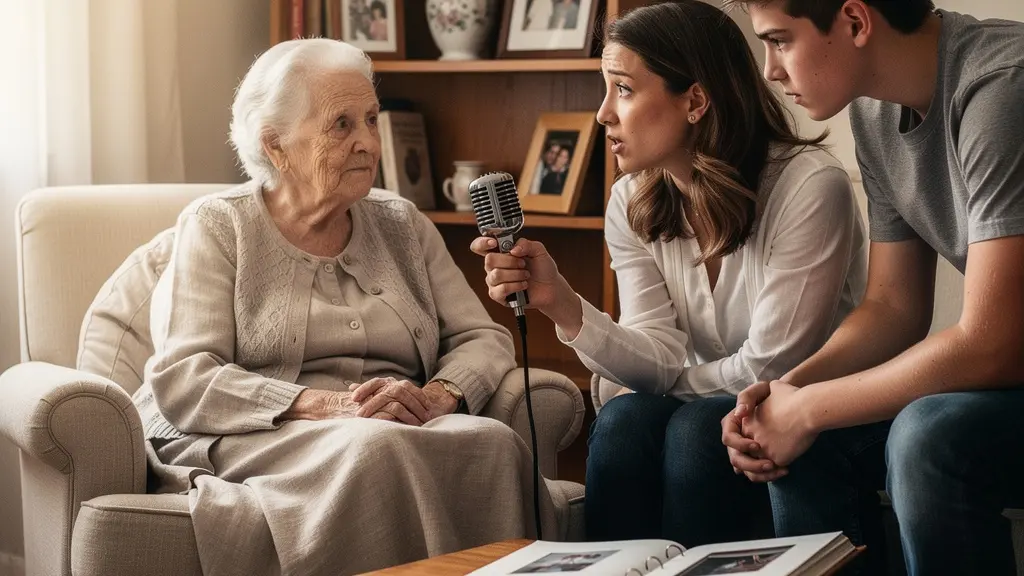
Preserving family history is more than hitting ‘record’; it’s an urgent archival mission to combat digital decay and capture a person’s irreplaceable “audio DNA.”
- The unique emotional data is in the voice itself—its cadence, pauses, and laughter—which photos cannot capture.
- Technical choices matter: Uncompressed audio (WAV) and a strict 3-2-1 backup strategy are non-negotiable for long-term survival.
Recommendation: Treat this project not as a nostalgic hobby, but as a professional archival endeavor. The goal is to create a navigable legacy, not just a folder of files.
There’s a quiet panic that sets in when you realize the voices that shaped your world are growing softer. You see your parents or grandparents, and a question echoes in your mind: “Why did I not ask them about that when I had the chance?” This feeling, a premonition of regret, is a universal call to action. We know we should be capturing their stories, but the task feels overwhelming. Where do we even begin? The common advice often feels flimsy: buy a good microphone, make a list of questions, and just talk. But this approach treats a profound act of preservation like a casual chat.
This method misses the fundamental point. The real challenge isn’t just recording stories; it’s about undertaking an archival mission. What if the true key wasn’t simply asking questions, but conducting a careful “memory extraction”? What if the goal wasn’t just to save a file, but to preserve the very “audio DNA” of a person—their unique cadence, their specific way of laughing, the subtle tremor in their voice when they recall a powerful memory? This is the data that photos and written words can never contain. It’s the texture of a soul, captured in sound waves.
This guide reframes the process. We will move beyond the basics and into the mindset of a personal archivist. We’ll explore the science of asking questions that unlock deep memories, the critical technical decisions that ensure your recordings outlive you, and the organizational strategies that turn a collection of audio files into a navigable legacy your great-grandchildren can actually explore. This is not just about remembering the past; it’s about ensuring it has a future.
To help you start your own archival project, the video below from StoryCorps—an organization dedicated to this mission—beautifully illustrates the power of listening, honoring, and sharing these invaluable human stories.
To guide you through this essential mission, we’ve structured this article to walk you through each critical stage. From understanding the profound value of a recorded voice to the technical specifics of long-term preservation, each section builds upon the last to provide a comprehensive framework.
Summary: A Guide to Recording and Archiving Family Oral Histories
- Why a recorded voice is worth more to future generations than a photo album?
- How to ask questions that unlock deep memories without exhausting your subject?
- Smartphone or dedicated recorder: Which device ensures audio clarity for 50 years?
- Why manuals aren’t enough: The difficulty of transferring “muscle memory” to a student
- The storage mistake that deletes years of family interviews in an instant
- How to implement the 3-2-1 backup rule on a freelancer’s budget?
- How to catalog 50 hours of interviews so your grandchildren can actually find the stories?
- How to Write Poetry to Process Grief: A Framework for Beginners
Why a recorded voice is worth more to future generations than a photo album?
A photograph captures a moment in time, a silent, two-dimensional slice of reality. It shows us what someone looked like, but it cannot convey who they were. The true essence of a person—their personality, their humor, their hesitations, their wisdom—is encoded in their voice. This is their audio DNA. It’s in the specific rhythm of their speech, the way their voice cracks when telling a difficult story, or the warm rumble of their laughter. These are the details that resurrect a person in our memory far more powerfully than a static image ever could. It’s a sentiment shared by hundreds of thousands, as the largest single collection of human voices ever gathered shows, with over 650,000 participants contributing to the StoryCorps archive.
As Smithsonian historian Pamela Henson expressed after recording her grandmother, “I have a snippet of her to pass on to the rest of my family that we wouldn’t have otherwise. It’s the way they talk, their tone of voice, the way they phrase things. It’s really nice to have the sound of their voice.” This is the core of the archival mission. An album of photos is a collection of facts; a collection of voice recordings is a library of feelings. This is vividly illustrated in the oral history of Edward T. Taylor, preserved at the National Museum of African American History and Culture. His recording captures not just the events of his life, but the emotional texture of them—”the joy of being part of a large family,” “the horrors of brutal combat,” and his “bountiful love of fatherhood.” These stories, in his own voice, become part of a “symphony of voices” that provides a far richer, more human legacy.
By recording a voice, you are not just saving stories; you are preserving the storyteller. You are giving future generations the chance to not only know *about* their ancestors but to, in a way, *meet* them. This raw, authentic connection is an inheritance of unparalleled value.
How to ask questions that unlock deep memories without exhausting your subject?
The key to a profound oral history interview is not to conduct an interrogation, but to create a safe space for memory to surface. The most effective questions are not grand, sweeping inquiries, but small, sensory-based prompts that act as keys to locked doors. Instead of “What was your childhood like?”, try “Tell me about the kitchen in the house you grew up in. What did it smell like on a Saturday morning?” This technique bypasses the brain’s “storytelling” filter and accesses deeper, more visceral recollections. Your role is to be a gentle guide, not a director.
Building rapport is paramount. An interview should never be the first substantive conversation you have on the topic. A preliminary chat to discuss the project, its purpose, and the general timeline of their life establishes trust and comfort. During the interview itself, the goal is to become an active listener. Let them do the talking, avoid interjecting your own stories, and embrace the silences. Pauses are not empty space; they are moments where memory is actively being retrieved. The most precious stories often emerge after a moment of quiet reflection.
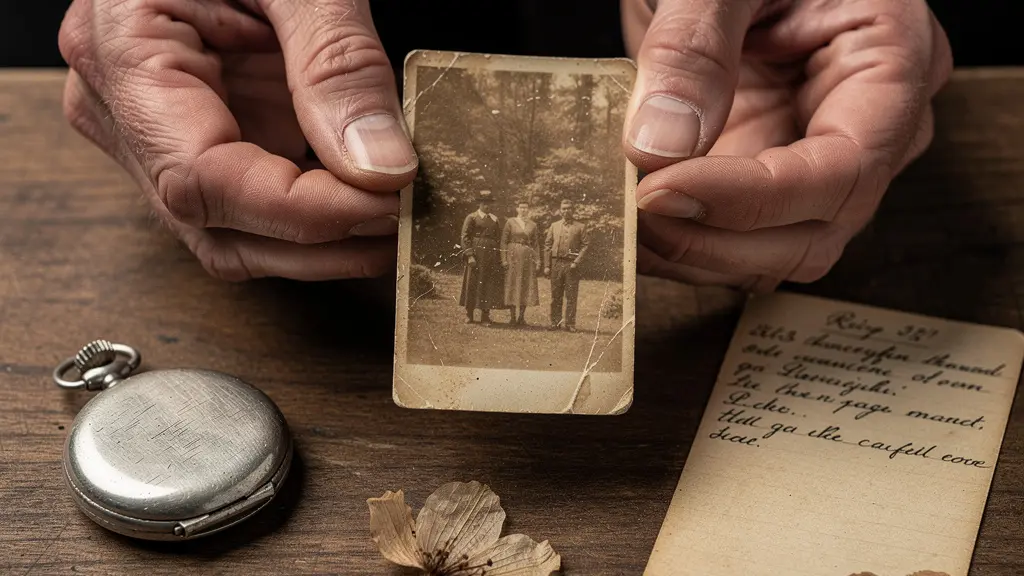
As seen in the image above, using tangible objects is an incredibly powerful catalyst for memory. Bringing old photographs, heirlooms, or even a familiar recipe card can trigger stories the narrator didn’t even know they remembered. It turns the interview from a Q&A session into a shared exploration. Remember, this process can be emotionally and mentally taxing. It is your responsibility to protect your narrator from fatigue, keeping sessions focused and manageable.
Action Plan: Unlocking Deep Memories
- Build Rapport First: Conduct a preliminary, off-the-record interview to discuss logistics and establish a comfortable relationship. Explain that they are the authority on their own life.
- Prepare, Don’t Script: Create a list of themes and open-ended questions, but be prepared to deviate. Let their answers guide the conversation.
- Bring Sensory Prompts: Use old photo albums, letters, or objects to stimulate memories. Ask them to describe what they see, feel, and smell in those moments.
- Respect Their Energy: Keep interview sessions to a maximum of 1.5 to 2 hours. Concentration wanes for both parties after this point, and quality will suffer.
- Listen More, Talk Less: Your role is to be a catalyst. Avoid telling your own stories or opinions. If they ask for your view, gently remind them the purpose is to capture theirs.
Smartphone or dedicated recorder: Which device ensures audio clarity for 50 years?
For archival purposes, the most critical factor is not the device itself, but the format of the audio file it creates. While a modern smartphone can produce surprisingly good recordings, it typically saves files in compressed formats like MP3 or AAC. These formats discard audio data to save space. For a casual recording, this is fine. For a 50-year preservation mission, it’s a critical failure. The gold standard for archival audio is an uncompressed format, most commonly the WAV file. It captures the full spectrum of sound without data loss, ensuring the highest possible fidelity for future generations.
Dedicated digital recorders, even budget-friendly models, almost always offer the ability to record directly to WAV. This single feature makes them inherently superior for this task. As the Smithsonian Institution Archives guide points out, “There are many recorder options that will record an uncompressed preservation quality audio file.” This should be your primary consideration. While a smartphone is convenient, relying on it means you are likely starting your archival process with a compromised, lower-quality source file. Using an external microphone with either device is also highly recommended to reduce handling noise and improve vocal clarity.
The choice is a trade-off between convenience and archival integrity. Below is a comparison to help you make an informed decision based on the serious nature of this project.
| Feature | Smartphone | Dedicated Recorder | Best for Archives |
|---|---|---|---|
| File Format | Usually compressed (MP3/AAC) | Uncompressed WAV available | WAV for preservation |
| Ease of Use | Very familiar interface | Learning curve required | Depends on user |
| Mic Quality | Good with proximity | Professional grade options | External mic recommended |
| Cost | Already owned | $60-300+ | Quality over price |
| Backup Options | Cloud sync automatic | Manual transfer needed | Multiple backups essential |
Why manuals aren’t enough: The difficulty of transferring “muscle memory” to a student
Some of the most valuable family knowledge isn’t written down; it lives in the hands and habits of our elders. Think of a grandmother’s recipe for bread. The written instructions might say “knead until it feels right,” but what does “right” feel like? This is tacit knowledge, or “muscle memory”—a lifetime of experience, intuition, and subtle adjustments that can’t be conveyed in a manual. This is where oral history transcends simple storytelling and becomes a vessel for preserving irreplaceable skills.
When you record someone talking through a process they know by heart—whether it’s gardening, woodworking, cooking, or fixing an engine—you capture more than just the steps. You capture the *how*. You hear the hesitation in their voice as they decide if the dough needs more flour. You hear the confidence when they describe a crucial but unwritten step. You capture the stories associated with the skill, like how they learned it from their own parent. This is the context, the nuance, and the human element that a written guide will always miss.
One powerful technique is to conduct the interview while the person is performing the skill. As documented in one family history project, setting up a camera while a mother and uncle looked through old, unidentified photos prompted them to remind each other of details and stories that would have otherwise been lost. Similarly, recording someone while they bake or work in their shop creates a living document. The recording becomes a masterclass, preserving not just what to do, but the very rhythm and soul of how it’s done. This transforms a simple oral history into a dynamic, practical legacy of family skill.
The storage mistake that deletes years of family interviews in an instant
You’ve done everything right. You conducted a beautiful, emotional interview and captured pristine, uncompressed audio. You have a WAV file that contains your family’s soul. Now, you save it to your computer’s desktop. In that single act, you have placed your entire archival mission on a knife’s edge. The single most devastating mistake in personal archiving is believing that one copy, on one device, is “safe.” This is a catastrophic misunderstanding of a concept archivists call digital decay.
Digital decay is the inevitable, silent process by which digital files are lost or become unusable. It isn’t a dramatic explosion; it’s a quiet corruption. It happens through hard drive failure (which is not a matter of *if*, but *when*), accidental deletion, or file corruption. An even more insidious threat is media obsolescence. The floppy disk, the Zip drive, and even the CD-ROM are now relics. The format or device you store your files on today may be unreadable in 20 years. Relying on a single storage point—be it a computer, an external drive, or even a single cloud service—is a guarantee of eventual loss.
The emotional weight of this cannot be overstated. All the effort, all the precious memories, can be wiped out in a single, irreversible moment. The only defense against this relentless threat is a proactive, redundant storage strategy. Believing your work is “done” after the recording is the mistake that turns a priceless archive into a heartbreaking story of what was lost.
How to implement the 3-2-1 backup rule on a freelancer’s budget?
The professional archivist’s defense against digital decay is not a single, magical product, but a simple, powerful strategy: the 3-2-1 backup rule. This is the absolute, non-negotiable bedrock of digital preservation, and it’s surprisingly affordable. The rule is easy to remember: have at least 3 copies of your data, on 2 different types of media, with 1 copy stored off-site. This creates a web of redundancy that can withstand almost any single point of failure, from a house fire to a hard drive crash.
Implementing this on a budget is entirely feasible. Your primary copy can live on your main computer’s internal hard drive (Cost: $0). The second copy should be on a different media type, like an external hard drive. A reliable 1TB external drive can be purchased for around $60. The third, off-site copy can be managed through a cloud storage service. Many services like Google Drive offer a free tier (e.g., 15GB) which is more than enough for your most critical audio files, or dedicated backup services like Backblaze offer unlimited backup for a low monthly fee. The contrast is stark: a minimal investment in backup storage protects irreplaceable family histories whose loss would be priceless.
Here is a practical, budget-friendly implementation plan:
- Copy 1 (Primary): The master WAV files on your computer’s internal hard drive.
- Copy 2 (Local Backup): An external hard drive where you regularly duplicate the master files. This protects against the failure of your computer.
- Copy 3 (Off-site Backup): A cloud storage service. This protects against physical disaster at your home (fire, flood, theft) that could destroy both your computer and your local backup drive.
For ultimate long-term security, some archivists also use M-DISC Blu-ray discs, a format designed to last for centuries, as one of their backup media. While it requires a special burner, it provides a “cold storage” copy that is immune to digital failure. According to the Oral History Association’s best practices, you must transfer recordings and make redundant copies as soon as possible after an interview is completed.
How to catalog 50 hours of interviews so your grandchildren can actually find the stories?
You have successfully recorded and secured dozens of hours of interviews. Your 3-2-1 backup system is in place. The mission is complete, right? Wrong. You have created what archivists call a “data dump”—a massive, impenetrable collection of files that is almost as useless as if it were lost. Without a catalog, your archive is a locked treasure chest. The final, crucial step of your archival mission is to create the key: a clear, consistent, and searchable cataloging system.
The goal is to create a navigable legacy. Imagine your great-grandchild wanting to hear what their ancestor said about their first love or their experience in the war. They won’t listen to 50 hours of audio to find it. You need to provide signposts. The first and simplest step is a consistent file naming convention. A professional standard is: YYYY-MM-DD_NarratorName_Topic.wav (e.g., `2024-03-15_JohnSmith_ChildhoodHome.wav`). This immediately provides critical context before even opening the file.
Beyond file naming, you have several options, each with a different investment of time and money. A full, word-for-word transcription is the ultimate in searchability but is incredibly time-consuming and expensive. A more practical approach for a personal archivist is creating a time-tagged index or a simple log sheet. This involves listening to the recording and creating a document that lists the main topics discussed and the time at which they appear (e.g., `00:15:32 – Story about meeting Grandma`). This makes navigating long interviews incredibly efficient.
Here is a comparison of common cataloging methods to help you choose the right approach for your project:
| Method | Time Investment | Searchability | Cost |
|---|---|---|---|
| Full Transcription | 10-20 hours per interview hour | Excellent – full text search | High ($60-150/hour) |
| Time-Tagged Index | 2-3 hours per interview hour | Good – topic navigation | Low (DIY) |
| Simple Log Sheet | 30 minutes per interview hour | Basic – keyword search | None (DIY) |
| Highlight Reel | 1-2 hours per interview | Entry point for family | None (DIY) |
Key Takeaways
- Archival Quality First: Always record in an uncompressed format (WAV) to capture the full “audio DNA.” This is the foundational step for long-term preservation.
- Redundancy is a Rule: Implement the 3-2-1 backup strategy without fail (3 copies, 2 media types, 1 off-site). A single copy is a guarantee of eventual loss.
- Create a Key: An archive without a catalog is unusable. A simple, time-tagged index and consistent file naming turn a data dump into a navigable legacy.
How to Write Poetry to Process Grief: A Framework for Beginners
After the technical work of recording, backing up, and cataloging is done, what remains is the human purpose of it all. The title of this section may seem out of place, but it is deeply intentional. An oral history archive is not a static collection of data; it is the raw material of poetry. It is a living, breathing testament to a life, and its greatest value is often realized after that life has ended. It becomes a tool for understanding, for connection, and for processing the profound grief of loss.
As author Dina Gachman lamented, “When somebody’s gone, their stories are gone, right? Why did I not ask a million questions when they were here.” Your archive is the antidote to that regret. It is the million answers you will be so grateful to have. Listening to these recordings is not about wallowing in sadness, but about engaging with a presence. You hear their voice, you laugh at their jokes, you feel the texture of their personality. Each story, each anecdote, each turn of phrase becomes a stanza in the epic poem of their life.
The “framework” for writing this poetry is simple: it is the act of listening. You can use these recordings to write eulogies, to share stories with younger generations who never got to meet them, or simply for yourself, as a way to feel their presence in a quiet moment. You can pull out specific stories—the “highlight reel”—that perfectly encapsulate their spirit. The archive you have so carefully built becomes a sacred space, a place of connection that transcends time. You have not just saved their memories; you have preserved the ability for their voice to continue comforting, guiding, and inspiring for decades to come.
Your archival mission is a profound gift to the future. It is a stand against the ephemerality of memory and the inevitability of loss. Begin today. Schedule that first conversation, choose your tools, and commit to the process. Start capturing the poetry of your family’s history before the voices fade to silence.