Photography & imaging
Photography and imaging have evolved from chemical processes to sophisticated digital workflows that demand both artistic vision and technical precision. Whether you’re capturing a fleeting moment with a smartphone or managing thousands of professional RAW files, understanding the complete ecosystem—from sensor to screen—empowers you to make informed decisions that protect your creative work and deliver stunning results.
The modern photographer faces challenges that extend far beyond composition and lighting. Managing massive image libraries, preserving irreplaceable files, optimizing visual quality for diverse platforms, and navigating an ever-expanding array of formats and technologies now form the essential backbone of photographic practice. This comprehensive resource connects the fundamental concepts with practical solutions, providing you with a complete understanding of contemporary photography and imaging.
Understanding Digital Photography Fundamentals
At its core, digital photography transforms light into data. Your camera’s image sensor acts like a canvas of millions of light-sensitive cells, each recording brightness and color information. Think of it as a highly sophisticated grid where each square captures a tiny piece of your scene—the more squares (measured in megapixels), the finer the detail you can potentially resolve.
The relationship between sensor size, resolution, and image quality follows a nuanced logic. A larger sensor with the same megapixel count as a smaller one typically produces cleaner images in low light because each photosite has more surface area to gather photons. This explains why professional full-frame cameras often outperform compact cameras in challenging lighting, even when both claim similar resolution numbers.
File formats represent your first critical decision point. RAW files preserve all sensor data, giving you maximum flexibility during editing—like working with uncooked ingredients that you can prepare exactly to taste. JPEG files, conversely, apply in-camera processing and compression, delivering smaller files ready for immediate use but with reduced editing latitude. Most serious photographers shoot RAW for important work and JPEG for quick sharing, often capturing both simultaneously when their workflow demands it.
Building an Efficient Photography Workflow
A reliable workflow transforms the chaos of hundreds or thousands of images into an organized, manageable system. Professional photographers often describe their workflow as a pipeline with distinct stages, each requiring specific tools and attention to detail.
The journey typically follows this sequence:
- Capture: Shooting with consistent camera settings and organizational habits
- Ingestion: Transferring files from memory cards to primary storage with verification
- Organization: Sorting, rating, and cataloging using descriptive metadata
- Editing: Processing selected images to achieve your creative vision
- Export: Preparing final versions optimized for specific delivery requirements
- Archival: Storing original files with redundant backups for long-term preservation
Establishing clear file naming conventions from the beginning prevents the nightmare of searching through folders labeled “IMG_0001” through “IMG_9999.” A systematic approach might include date, project name, and sequence number—for example, “20241015_WeddingSmith_0342.RAF”—making files instantly identifiable years later when memory fades but organizational logic remains.
Metadata embedded within image files serves as an invisible filing system that travels with your photos. Beyond automatic EXIF data (camera settings, timestamps, GPS coordinates), you can add keywords, copyright information, and descriptive captions that make retrieval effortless as your library grows from hundreds to tens of thousands of images.
Mastering Data Storage and Backup Systems
The fragility of digital data demands a storage strategy that treats your images with the care they deserve. Unlike film negatives stored in an archive, digital files exist as magnetic patterns or electrical charges that can vanish instantly through hardware failure, human error, or environmental disaster.
Choosing the Right Storage Hardware
Professional photographers routinely accumulate terabytes of image data, making storage decisions financially and practically significant. Hard disk drives (HDDs) offer massive capacity at the lowest cost per gigabyte, making them ideal for archival storage of completed projects. Solid-state drives (SSDs) cost substantially more but deliver dramatically faster performance—essential for active project folders where you’re constantly opening large RAW files.
A typical professional setup employs a tiered approach: fast SSDs for current projects, large HDDs for recent archives, and additional HDDs for redundant backups. Network-attached storage (NAS) devices provide centralized access and often include built-in redundancy through RAID configurations, where multiple drives work together so that failure of a single drive doesn’t result in data loss.
Implementing Reliable Backup Strategies
The photographer’s cardinal rule states that data doesn’t exist unless it exists in three places. This “3-2-1 backup strategy” means maintaining three copies of important files, stored on two different types of media, with one copy kept off-site. This approach protects against the most common failure scenarios: hardware breakdown, accidental deletion, theft, or localized disasters.
Cloud storage services have revolutionized off-site backup by eliminating the need to manually transport external drives. However, calculating the true cost requires looking beyond the monthly subscription fee. Upload time for hundreds of gigabytes, ongoing costs that accumulate year after year, and retrieval speeds during emergencies all factor into the total investment. Many photographers combine local backup for speed with cloud backup for geographical redundancy.
Preventing Data Loss and File Corruption
File corruption occurs when data becomes scrambled or incomplete, rendering images unreadable. This can happen during transfer, through gradual degradation of storage media, or via software errors. Verification processes that compare checksums (unique digital fingerprints) ensure that files copied from memory cards match the originals perfectly.
Long-term preservation requires proactive maintenance. Periodically verifying backup integrity, migrating files to fresh media every few years, and monitoring drive health statistics help catch problems before they cascade into catastrophic loss. Think of it as preventive medicine for your digital archive—small investments of time now prevent devastating losses later.
Optimizing Images for Digital Publishing
Preparing images for web display, social media, or client delivery involves a delicate balance. You want images that look stunning and load instantly, but these goals often conflict since higher quality typically means larger file sizes and slower performance.
Selecting Modern File Formats
Beyond the traditional JPEG format, newer options offer compelling advantages. WebP delivers comparable visual quality to JPEG at 25-35% smaller file sizes, making pages load faster without sacrificing appearance. AVIF pushes efficiency even further, though browser support continues expanding. PNG remains essential for images requiring transparency, while JPEG still dominates where universal compatibility matters most.
The format selection depends on your specific use case: e-commerce sites might prioritize loading speed with WebP, while photographers delivering client galleries might choose maximum-compatibility JPEG to ensure images display correctly on any device without technical support requests.
Balancing Quality and Performance
Image compression exists on a spectrum from “lossless” (perfect quality, larger files) to “lossy” (visually acceptable quality, much smaller files). JPEG compression at 80-85% quality typically produces files that look nearly identical to 100% quality while occupying a fraction of the storage space. The human eye struggles to detect the difference, but file sizes might shrink by 60-70%.
Double-compression artifacts emerge when already-compressed JPEGs get resized and re-saved repeatedly, accumulating visible degradation with each generation. Maintaining master files in lossless formats and creating fresh exports for each purpose prevents this quality erosion. It’s analogous to making copies from an original document rather than making copies of copies.
Implementing Advanced Web Techniques
Lazy loading has transformed how web browsers handle image-heavy pages. Instead of downloading every image immediately when a page loads, the browser only fetches images as they’re about to scroll into view. This means a portfolio page with 50 photographs loads almost instantly because the browser initially downloads perhaps five images, retrieving others on demand.
Proper implementation requires careful attention to detail. Setting explicit width and height attributes prevents layout shifts as images load, maintaining a smooth user experience. Responsive images deliver different file sizes based on screen dimensions—a mobile phone receives an 800-pixel-wide version while a desktop monitor gets a 2400-pixel version—optimizing both quality and bandwidth usage.
These technical optimizations directly impact user engagement. Pages that load quickly enjoy lower bounce rates as visitors stay rather than abandoning slow-loading sites. Automated image resizing workflows can handle the tedious work of creating multiple size variants, freeing you to focus on creative work rather than repetitive technical tasks.
The intersection of artistic vision and technical proficiency defines successful contemporary photography. By understanding fundamental imaging principles, organizing your workflow systematically, protecting your data through robust storage and backup practices, and optimizing output for each delivery medium, you build a sustainable practice that honors both your creative investment and your audience’s experience. Each element connects to the others—reliable backups mean nothing without good organization, and stunning images lose impact when poorly optimized for their final platform.
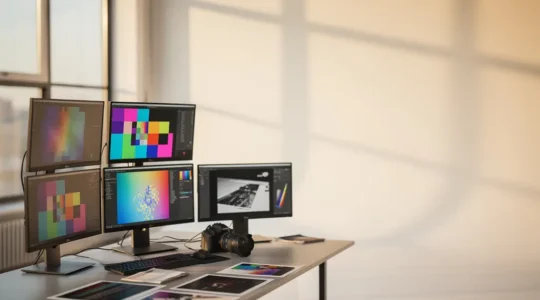
High-Resolution Images on the Web: A Performance Engineer’s Guide to Speed Without Sacrifice
True image performance is not about universal compression settings; it’s about building an intelligent pipeline from archival to delivery that prioritizes the user’s perceived experience. Modern formats like AVIF offer superior compression but come with an encoding time cost, making…
Read more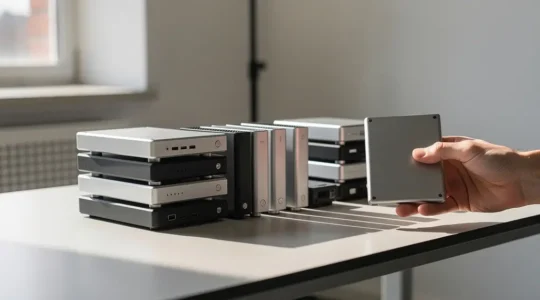
How to Archive 50TB of RAW Photos Without Losing Data or Going Broke?
Archiving 50TB of photos is not a storage problem; it’s a data integrity and financial strategy challenge that requires a specialist’s approach. For unpowered “cold storage,” traditional HDDs offer significantly greater long-term data retention than consumer SSDs. A local Network…
Read more