
The debate isn’t about replacement, but about strategic partnership; AI’s greatest strengths in speed and iteration are also its most significant flaws in terms of originality and legal standing.
- Leverage AI for rapid concept exploration, not as a replacement for your final, polished work.
- Actively protect your copyright through documented, transformative work, as purely AI-generated images are not legally protectable on their own.
Recommendation: Reframe your role from ‘creator’ to ‘artistic director,’ using your expertise to curate AI output and add the final, irreplaceable human touch that clients value.
The anxiety in the creative community is palpable. Every day, a new gallery of stunning, algorithmically-generated images floods social media, prompting the same worried question: as a freelance illustrator or concept artist, is my career on a countdown timer? The common refrain is that AI is “just another tool,” like Photoshop or the airbrush before it. While comforting, this answer is dangerously simplistic. It ignores the fundamental shifts in workflow, copyright, and value perception that these new technologies are forcing upon the industry.
As someone who has navigated multiple technological upheavals in the art world, I see this differently. AI is not a simple tool; it’s a powerful, but deeply flawed, business partner. Its speed is breathtaking, but it has no soul. Its ability to iterate is limitless, but it has no lived experience. Understanding these limitations is not a defensive posture; it’s the foundation of a powerful offensive strategy. The key to not just surviving but thriving in this new era is to learn how to manage this new partner: leveraging its strengths while decisively shielding your work, your style, and your clients from its inherent weaknesses.
This article will provide a grounded, reality-based framework for freelance illustrators to do just that. We won’t waste time on philosophical debates. Instead, we’ll dissect why your human touch remains your most valuable asset, provide a concrete plan for integrating AI to accelerate your process without sacrificing your unique voice, and tackle the critical, often-overlooked issues of copyright and client communication.
Summary: A Strategic Guide to AI for Professional Illustrators
- Why AI cannot replicate the emotional intent behind a human brushstroke?
- How to use AI generators to speed up concept iteration without losing your style?
- Midjourney vs. Stable Diffusion: Which offers better value for freelance designers?
- The copyright trap that could cost you your portfolio rights when using AI
- How to present hybrid AI-traditional work to clients who are skeptical?
- How to map your old keyboard shortcuts to the new software in one afternoon?
- Why does the algorithm flag painted nudity but allow photographic violence?
- How to Archive 50TB of RAW Photos Without Losing Data or Going Broke?
Why AI Cannot Replicate the Emotional Intent Behind a Human Brushstroke?
The core fear surrounding AI is that it can replicate aesthetics. But art is not just aesthetics; it is communication. It’s the transference of an idea or emotion from one human mind to another. This is where AI, for all its technical prowess, falls short. It operates without the context of lived experience, the physical constraints, or the in-the-moment collaborative spark that gives human art its resonance. An AI can generate a technically perfect image of “sadness,” but it has never felt loss. It can mimic a style, but it doesn’t understand the cultural or personal history that shaped it. A recent study confirms this, noting that a staggering 80% of artists believe AI art lacks the ‘human soul’ or emotional depth precisely because it lacks this foundation of experience.
This is not just a philosophical argument; it’s a neurological one. AI art lacks the “performative aspect” that triggers deep responses in the human brain. The technology operates without the physical constraints or traditional thought processes that imbue human art with its emotional weight. It generates outcomes from statistical patterns, not from a place of genuine curiosity or intent.
As a Harvard faculty member noted in a recent interview on the subject, this is especially true for creative work that relies on improvisation and reaction. They state that the ability to react in the moment is something AI cannot reproduce because it requires genuine intelligence and agency. This is your most defensible asset.
Music can transmit and represent emotion, and AI cannot do either of those things yet. And especially within jazz and creative music, music is in-the-moment composition… That sense of interplay, or the ability to react in the moment, is something that artificial intelligence can’t reproduce because to do that requires being intelligent and having the agency to use your curiosity and your musical vocabulary.
– Harvard Faculty, Harvard Gazette Interview
Your value is not just in the final image, but in the intelligent, emotionally-driven decisions made to get there. The subtle imperfections, the “happy accidents,” and the intentional choices born from a lifetime of experience are things a machine cannot authentically replicate. This is the ground on which you stand.
How to Use AI Generators to Speed Up Concept Iteration Without Losing Your Style?
Accepting that AI is a flawed partner means you can start using it strategically. Its greatest utility for a professional illustrator is not in creating finished pieces, but in radically accelerating the messy, time-consuming process of concept iteration. The goal is to develop a hybrid workflow where AI does the heavy lifting of exploration, while you retain absolute artistic sovereignty over the final output and style.
This process is about directing the tool, not being directed by it. It starts with your own unique ideas and sketches. By using functions like `img2img` or `ControlNet`, you can feed your rough compositions to an AI and ask it to generate dozens of variations—exploring different lighting, color palettes, or textural finishes in minutes, not days. This isn’t about letting the AI “create”; it’s about using it as the world’s fastest and most tireless intern to flesh out *your* vision.
To maintain your unique style, you must train the AI on your own work. Creating a personal training dataset from your portfolio to develop custom LoRA (Low-Rank Adaptation) models allows the AI to learn your specific visual language. This, combined with developing a personal “Prompt Syntax” and mastering negative prompts to exclude generic digital looks, ensures the output is a starting point that is already infused with your DNA. The final 80% of the work—the refinement, the storytelling details, the emotional nuance—remains in your hands.
Midjourney vs. Stable Diffusion: Which Offers Better Value for Freelance Designers?
Choosing the right AI partner is a critical business decision, not just a technical one. For freelance illustrators, the debate largely centers on two giants: Midjourney and Stable Diffusion. The choice between them isn’t about which one creates “better” images, but which one aligns with your business model and need for control. Midjourney operates as an “Art-as-a-Service”—a closed, subscription-based ecosystem that delivers stunning, high-quality visuals with incredible speed and simplicity. It’s perfect for rapid client ideation and trend-spotting within its curated Discord community.
Stable Diffusion, on the other hand, is “Art-as-an-Asset.” As an open-source model, it can be run locally on your own hardware (for free, assuming you have a capable GPU) or through various cloud services. This offers unparalleled control. You can build proprietary workflows, train models on sensitive client work without sending it to a third-party server, and integrate it into custom applications via its API. While an industry analysis shows DALL-E and Midjourney have larger market shares, the sheer volume of images from Stable Diffusion-based models highlights its power for high-volume, custom work. This control comes at the cost of a steeper learning curve and reliance on your own or rented hardware.
| Feature | Midjourney | Stable Diffusion |
|---|---|---|
| Business Model | Art-as-a-Service (subscription-based) | Art-as-an-Asset (open-source, can run locally) |
| Speed & Simplicity | Excellent – Discord-based, immediate results | Variable – depends on hardware/service |
| Control & Customization | Limited – closed ecosystem | Extensive – full control over models and parameters |
| Cost | $10-120/month subscription | Free locally (requires GPU) or cloud services vary |
| Community | Curated Discord community for trend-spotting | Open-source developer community for cutting-edge techniques |
| API/Integration | Not available | Full API access for custom apps and services |
| Best For | Rapid client ideation, high-quality visuals quickly | Building proprietary workflows, full ownership |
The decision is strategic: if your business relies on speed and producing beautiful concepts quickly for a wide range of clients, Midjourney’s subscription is a sound investment. If your value lies in creating a unique, defensible style, building custom tools, and maintaining total ownership and privacy, the initial effort to master Stable Diffusion will pay long-term dividends.
The Copyright Trap That Could Cost You Your Portfolio Rights When Using AI
Here lies the most significant risk in treating AI as just another tool: copyright law does not see it that way. The legal precedent being set is that work created solely by an AI is not eligible for copyright protection because it lacks human authorship. This creates a massive trap for unwary freelancers. If you deliver a “finished” piece straight from an AI generator, neither you nor your client may actually own it, leaving it vulnerable to being used by anyone for free.
Case Study: The Zarya of the Dawn Decision
In a pivotal decision by the US Copyright Office, artist Kris Kashtanova’s graphic novel, ‘Zarya of the Dawn’, which used Midjourney for its images, had its copyright status reevaluated. The Office granted protection for the original text and the artist’s creative “selection and arrangement” of the elements. However, it explicitly refused to grant copyright for the individual AI-generated images themselves. This case, detailed in an art law analysis, establishes that the human’s contribution must be significant and creative to be protectable, not merely the act of writing a prompt.
This legal minefield is a major source of anxiety, with a recent survey revealing that 74% of artists consider AI scraping artwork from the internet to be unethical, and 89% worry that copyright laws are outdated. The only way to secure your rights is to prove significant human authorship. Your hybrid workflow is your best defense. By starting with your own sketches and performing substantial transformative work on the AI’s output—repainting, compositing, color grading, adding narrative elements—you are creating a new, copyrightable piece where the AI is just one part of the process, not the author.
Your Action Plan: Protecting Your Portfolio Rights
- Document All Transformative Work: Keep detailed logs, layered files, and original sketches that prove your manual, creative input after the AI generation phase.
- Choose Ethically-Sourced Models: Whenever possible, opt for models like Adobe Firefly that are trained on licensed or public domain content to minimize legal risks from the start.
- Include a ‘Hybrid Creation Disclosure’ Clause: Be transparent in client contracts. Specify your use of AI as an iterative tool and clarify that the final, delivered artwork is a copyrightable piece due to your significant transformative work.
- Opt-Out of Training Data: Use services like Spawning’s Ai.txt to generate a file for your website. This file, as explained on sites like Creative Howl, instructs ethical AI crawlers not to use your portfolio images for training their models.
- Register Your Work: Join “No AI Learning” initiatives and, for critical pieces, consider formally registering the copyright, making sure to disclose the elements of the work that are your own original creation.
How to Present Hybrid AI-Traditional Work to Clients Who Are Skeptical?
The final hurdle isn’t technical or legal, but psychological: convincing clients of the value of your work in the age of AI. Many clients are either skeptical of the technology or, worse, believe it should make your work dramatically cheaper. Your job is to reframe the narrative from “I used AI” to “I directed a powerful tool to deliver more value to you.”
Let’s not forget that the people likely to commission illustrators–art directors, designers and producers–are creatives themselves.
– James Hughes, Folio Art Agency
This insight from James Hughes is key. You are speaking to fellow creatives who understand process. Therefore, the most effective strategy is a process-oriented presentation. Don’t just show the final image; tell the story of its creation. Show your initial brief and rough sketches, the AI-generated variants you directed for exploration, and, most importantly, the detailed manual refinement you performed to create the final, polished piece. This demonstrates your value is not in prompt-writing, but in your professional curation, artistic direction, and execution.
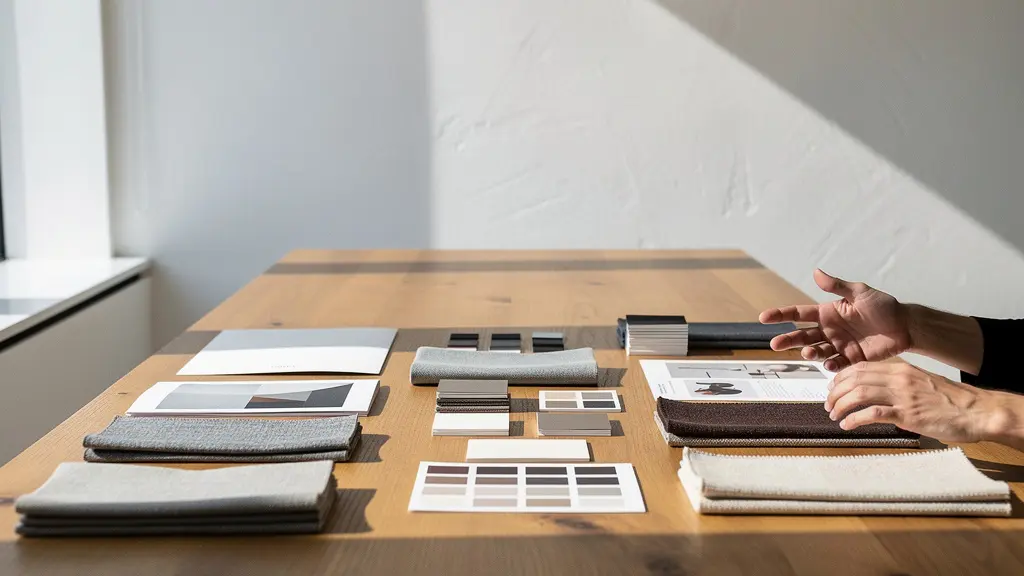
Frame the use of AI as a direct client benefit. For example: “By leveraging AI for initial exploration, I can deliver five distinct visual directions in the time it used to take for one, allowing us to find the perfect concept faster and with more confidence.” You can even propose a tiered pricing model. A low-cost tier for pure AI ideation (with no copyright), a mid-tier for an AI concept plus human refinement, and a premium tier for a fully traditional or heavily modified piece with full copyright transfer. This educates the client on the value of your human touch and gives them control over the budget, turning a potentially awkward conversation into a strategic one.
How to Map Your Old Keyboard Shortcuts to the New Software in One Afternoon?
Integrating AI into your workflow isn’t just about big-picture strategy; it’s about on-the-ground efficiency. The friction of moving between your traditional tools (like Photoshop or Procreate) and various AI interfaces can kill your creative momentum. The solution is to automate the repetitive parts of your new hybrid workflow, effectively mapping your old muscle memory to new tasks. This is about making the technology serve your flow, not the other way around.
Start by building a “Prompt Library” or digital swatchbook in a tool like Notion or Airtable. Organize your best, most complex prompts by function, such as ‘cinematic-lighting-rigs’ or ‘gritty-texture-palettes’. Then, use a text-expander utility (like aText or TextExpander). You can set it up so that typing a simple shortcut like `;sci-fi-mood` instantly pastes a 200-word, perfectly crafted prompt into the AI interface, saving you immense time and ensuring stylistic consistency.
For more complex chains of action, tools like AutoHotkey (for PC) or Keyboard Maestro (for Mac) are invaluable. You can create a single macro that, with one keystroke, copies a selection from your canvas, switches to your AI interface, pastes it into the `img2img` slot, adds a standard set of parameters from your prompt library, and begins the generation. As one professional artist adapting their workflow noted, the trade-off is clear: AI offers incredible speed, but at the cost of the fine control you’re used to. Automating the mechanical steps frees up your mental energy to focus on that crucial element of control and refinement.
‘AI does what I was doing so much quicker, so much better… but you don’t have as much control,’ Porto said. ‘I’m really glad I’m not competing as a photo illustrator right now.’
– Porto, Professional Artist
Why Does the Algorithm Flag Painted Nudity but Allow Photographic Violence?
One of the most frustrating aspects of working with commercial AI models is encountering their “algorithmic blind spots.” Many artists find their work—especially involving artistic nudity or complex themes—being flagged or censored by the very same platforms that seem to permit gratuitous or violent content. This isn’t a sign of malicious intent, but a fundamental flaw in how these systems are designed.
The core issue is that the simplistic, context-blind moderation algorithms originally built for policing mass-market social media are often hard-coded into the core of AI models like DALL-E 2 and Midjourney. These systems are trained to recognize patterns, not understand intent or artistic merit. A pattern that statistically correlates with “prohibited content” will be flagged, regardless of whether it’s a classical painting study or a crude photograph. As one AI ethics researcher points out, this forces artists to self-censor, which ultimately homogenizes the potential output of the medium.
When artists using AI tools have to self-censor to avoid being flagged or banned, it homogenizes the potential output and pushes the boundaries of art back.
– AI Ethics Researcher, Analysis of AI Art Moderation Systems
This lack of contextual understanding also manifests in user perception. Studies of user reactions to AI art have shown that audiences can feel deceived or mocked when they discover a piece they admired was AI-generated, perceiving it as “faking art.” These systems, in their current form, cannot grasp the nuances of artistic tradition, satire, or social commentary. This is yet another area where the human artist’s role is critical: to navigate these blind spots, provide the necessary context, and create work that is not only visually compelling but also intellectually and emotionally coherent in a way a machine simply cannot be.
Key Takeaways
- AI cannot replicate the emotional intent or lived experience that forms the core value of human artistry.
- The most effective strategy is a hybrid workflow, using AI for rapid ideation while retaining manual control for refinement, style, and storytelling.
- Purely AI-generated images are not copyrightable; you must document your transformative human work to retain ownership and provide legal value to clients.
How to Archive 50TB of RAW Photos Without Losing Data or Going Broke?
A hybrid AI workflow has one massive, practical consequence: data. You are no longer just saving final JPEGs and layered PSDs. You are now generating hundreds or thousands of high-resolution image variations, training datasets, and custom models. It’s not uncommon for a single project to generate terabytes of data. Without a professional archiving strategy, you will quickly find yourself either losing critical project data or spending a fortune on storage. Statistics as of 2024 show that models based on the Stable Diffusion platform alone have created over 12.5 billion images, highlighting the immense data footprint of this new creative paradigm.
The solution is a tiered storage strategy, a method used by professional studios to balance cost and accessibility. This isn’t about having one giant hard drive; it’s about putting the right data in the right place at the right price.
- Hot Storage (SSD): This is your fastest, most expensive storage. It should be reserved for what you need this very second: active projects, your most-used custom LoRA models, and your core prompt library. An internal or external NVMe SSD is perfect for this.
- Warm Storage (NAS/RAID): This is for your searchable library. A Network-Attached Storage (NAS) device with multiple hard drives in a RAID configuration offers a great balance of speed and massive capacity. This is where you keep your best generations from past projects and your complete training datasets, ready to be accessed when needed.
- Cold Storage (Cloud Archive): This is your long-term, low-cost disaster recovery. Services like Backblaze B2 or Amazon S3 Glacier are incredibly cheap for storing data you don’t need to access often. This is for versioned backups of everything—every prompt, every seed, every raw generation.
Crucially, you must save the generation metadata (the prompt, seed, model version, and all parameters) with every single image file. Many UIs for Stable Diffusion can automatically embed this data within the image itself. This metadata is as valuable as the image, as it allows you to recreate or iterate on that exact idea months or years later. Managing your data is no longer a chore; it is a core competency for the modern illustrator.
Start implementing these strategies today to transform AI from a perceived threat into your most powerful—if imperfect—creative partner. By acting as a director, curator, and master finisher, you not only secure your place in the industry but elevate your role to one of indispensable artistic leadership.